A transparent breakdown for enthusiasts, newbies, and everyone in-between
Table of Contents
Wikipedia is the world’s most popular online encyclopedia. It consists of hundreds of different language versions and each version can have millions of articles – as of publication, the English Wikipedia had more than 7,189,000. Who is writing all these articles? Can anyone create and edit any article they fancy?
The platform is open-source, which means it allows anyone to edit. However, it’s incredibly important to note that just because you can edit Wikipedia, that doesn’t mean you should edit Wikipedia. Let’s break down why.
Can a normal person edit Wikipedia?

Yes, a normal person can edit Wikipedia. The platform does not require any special certifications and an interested person does not have to apply to be an editor. However, there are Conflict of Interest (COI) restrictions. Wikipedia shares that, “COI editing involves contributing to Wikipedia articles about yourself, family, friends, clients, employers, or your financial and other relationships. Any external relationship can trigger a conflict of interest. Someone having a conflict of interest is a description of a situation, not a judgment about that person’s opinions, integrity, or good faith.”
If there is a COI, Wikipedia strongly discourages editors from editing affected articles directly. Specifically, editors should:
- Disclose their COI when editing or reviewing affected articles
- Propose changes on talk pages so that they can be peer-reviewed, rather than directly editing
- Put new articles through the Articles for Creation (AfC) process rather than directly creating and publishing them
- Keep from reviewing affected AfC articles
(There is one caveat here. Wikipedia’s policy on matters relating to living people allows even the subject of the article to fix very obvious errors.)
If anyone can edit, why can’t I edit a certain article?
Wikipedia’s goal is to be as open as possible, but sometimes the platform must limit editing access to certain articles to prevent vandalism, edit warring, or stop other issues.
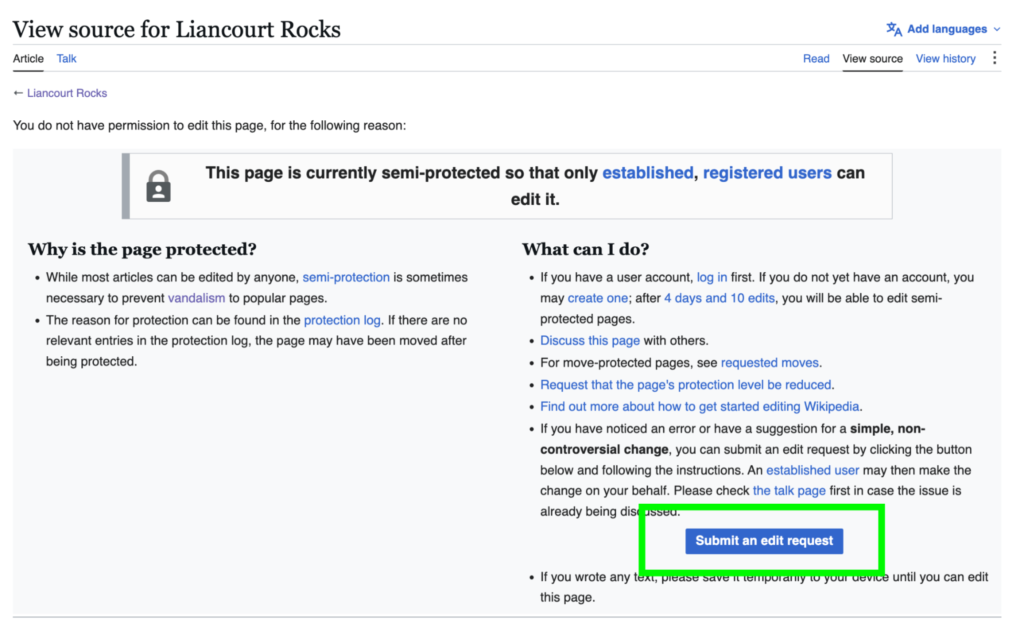
If a page is protected, it will be marked in the top right by a padlock icon.

If you want to make an edit to a protected page, you’ll have to submit a request:
- Use the View Source tab on that page
- Click on “Submit an edit request” on the bottom right

Who actually edits Wikipedia?
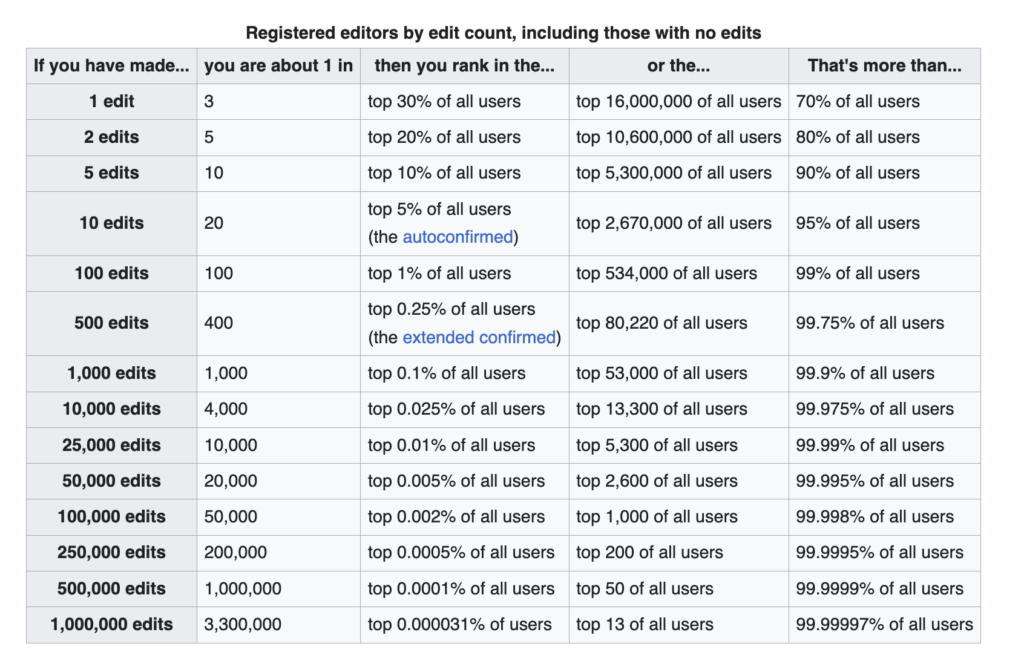
As of publication, the English Wikipedia had 53,413,267 users with registered usernames. However, not that many people are active on the platform. Only about 30% of those registered users have ever edited an article, only a minority contribute regularly, and only an even smaller number regularly engage in community discussions about articles, policies, etc.
What happens if you add false information to Wikipedia?
There are two scenarios when it comes to false information: in the first, an editor doesn’t know the information is false; in the second, the false information is knowingly and intentionally added. Let’s look at the consequences of both.
Option 1: False Information is Accidentally Added
When spotted, another editor will remove the information. If they assume the mistake was made in good faith – i.e. the editor in question presumably thought they were adding accurate information – they may not take any other steps. However, they may consider discussing the removal with the editor on the talk page, alerting the editor to the problem and helping them avoid similar mistakes in the future.
Option 2: False Information is Knowingly and Intentionally Added

If an editor continuously adds false information to Wikipedia, consequences will escalate. This can include:
- Closer scrutiny from the community whenever the editor in question edits an article
- Multiple warnings from other editors
- Administrator notification via the vandalism noticeboard
- A blanket removal of all copy added by the editor to Wikipedia
- Blocking the account of the editor, either temporarily or permanently
Continuously attempting to disrupt Wikipedia is considered vandalism. Vandalism includes but is not limited to:
- Adding inappropriate tags to a page
- Adding false information to an article
- Removing encyclopedic content for no reason or replacing it with nonsense
- Adding or changing internal or external links on a page to irrelevant or inappropriate targets
- Minorly altering facts or pretending to revert vandalism (also known as sneaky or subtle vandalism)
What if biased information is added to Wikipedia?

One of Wikipedia’s foundational principles is that all content on Wikipedia must be written from a neutral point of view. Editors should neither sympathize with nor disparage subjects. If editorial bias is painfully obvious, it needs to be fixed. This can mean rewriting copy, balancing perspectives by including different views, and/or removing material if it is misleading or misinformative.
How do I correct mistakes on Wikipedia?

Remember how we started this? Just because you can edit Wikipedia, doesn’t mean you should. If you have a COI, your editing process will look very different than someone without a COI. Let’s walk through both scenarios.
Scenario 1: You Have No Connection to the Subject (Non-COI)
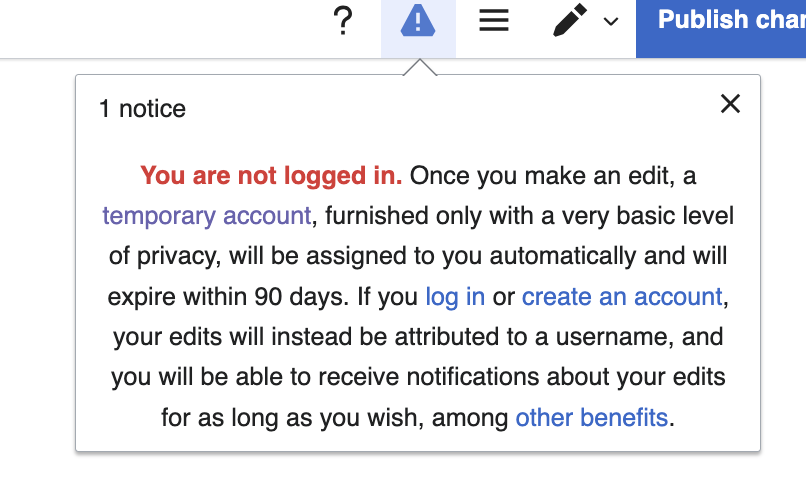
1. Create an Account: This is not mandatory, but it is helpful if you plan to stick around. Having a permanent account lets you do things such as: choose your username, create a user page, and practice editing and publishing in a sandbox. With a permanent account, after 4 days and 10 edits, you’ll become autoconfirmed and be given more editing privileges. After 30 days and over 500 edits, your privileges grow again.
If you don’t create an account, you’ll be assigned a temporary user account. These expire after 90 days at which point they’ll be replaced with another if the editor is still active.
2. Gather Reliable Sources: Everything added to Wikipedia must be verifiable through trusted, third-party sources. If you don’t have reliable sourcing for whatever change you want to make, stop. Find the sourcing. Then continue.
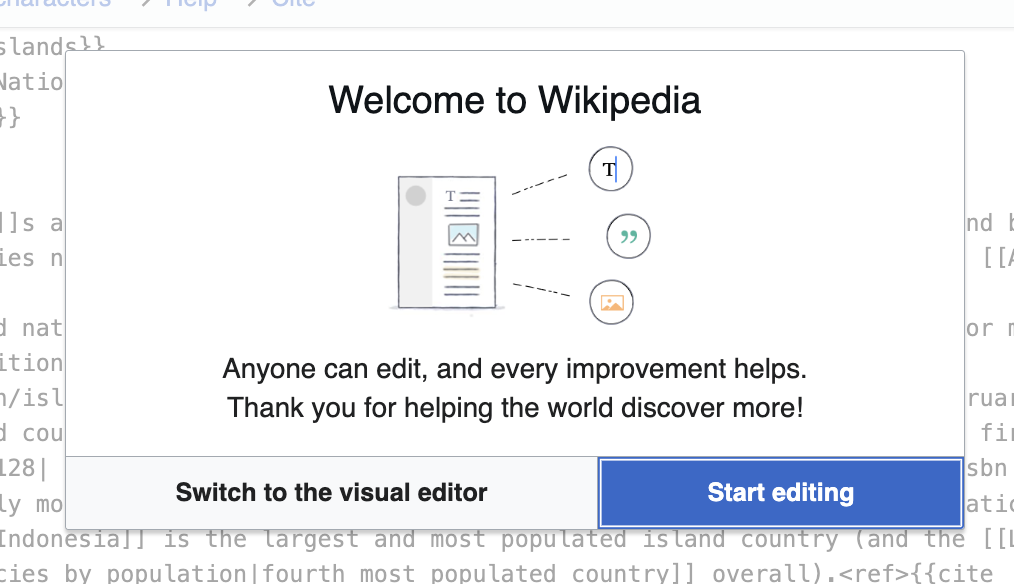
3. Make the Edit: Go to the article you want to improve and click Edit. Stay in Source Editing mode or switch to the Visual Editor. Make whatever changes you came to make, and then publish the changes. Congratulations!


Scenario 2: You are Editing Your Own Page or Brand (COI Editors)
1. Declare Your Connection: Create a user account and practice transparency. Publicly state on your user profile who you work for or represent, or whatever COI connection you have.
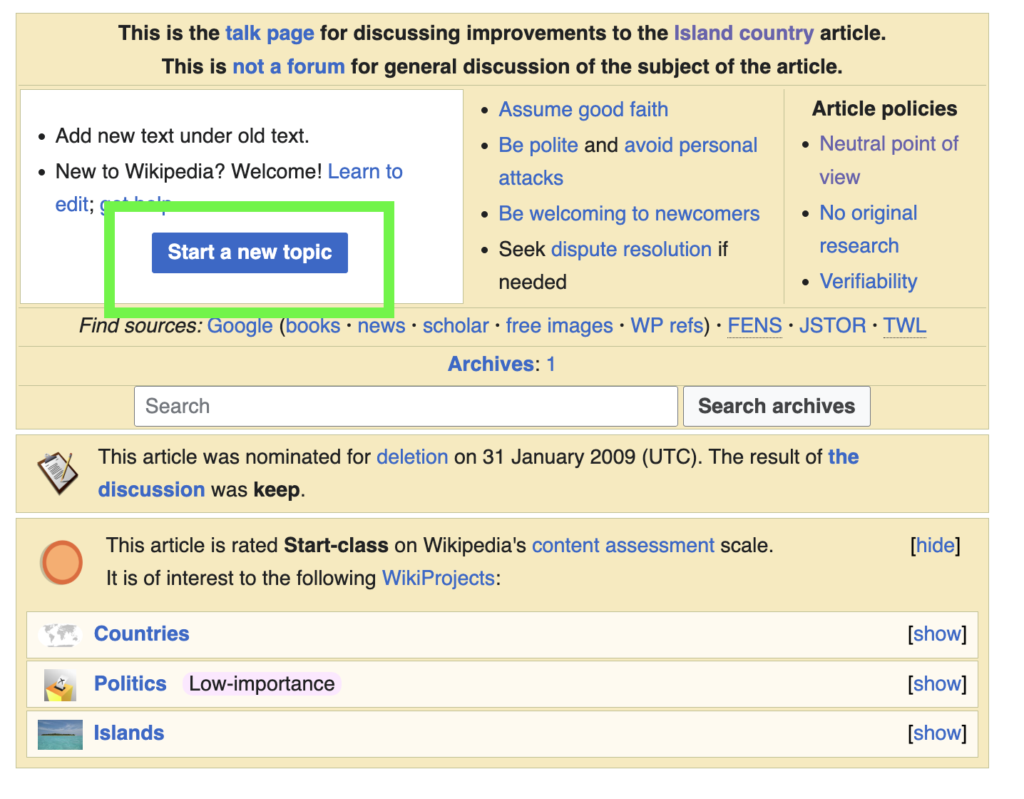
2. Use the “Talk” Page: Go to your target article and click on the Talk tab. Talk pages are where editors discuss how to best edit and maintain individual articles.

3. Submit a Formal Edit Request: Write a polite message, clearly explaining your COI, what you’d like changed, and why. Think of something like, “Hello. I work for [BRAND]. This Wikipedia page currently states [X], but according to these reliable sources [INSERT], the page should say [Y]. Could an independent editor please update this?”
If you don’t want to change anything, but instead want something new added, consider something like, ““Hello. I work for [BRAND]. I believe this [NOTABLE FACT] is missing from the Wikipedia page. It can be found in these reliable sources [INSERT]. Can an independent editor make this change?”
4. Wait for Review: Sit back and wait for the community to chime in. This could happen quickly, or not, depending on a number of factors. Be patient. Also be prepared to be flexible. Another editor might not agree with your request. It may take some back-and-forth for you to see change.
Any Further Questions?
If you like to learn more about Wikipedia, we have a number of resources! Some of our most recent include: